Desktop software that runs entirely on your own machine

Three standalone desktop tools for Windows and Mac from Energy Conscious Design — bookkeeping, PDF editing, and Visio-to-CAD conversion. Buy once, install, activate, and your files never leave your computer.

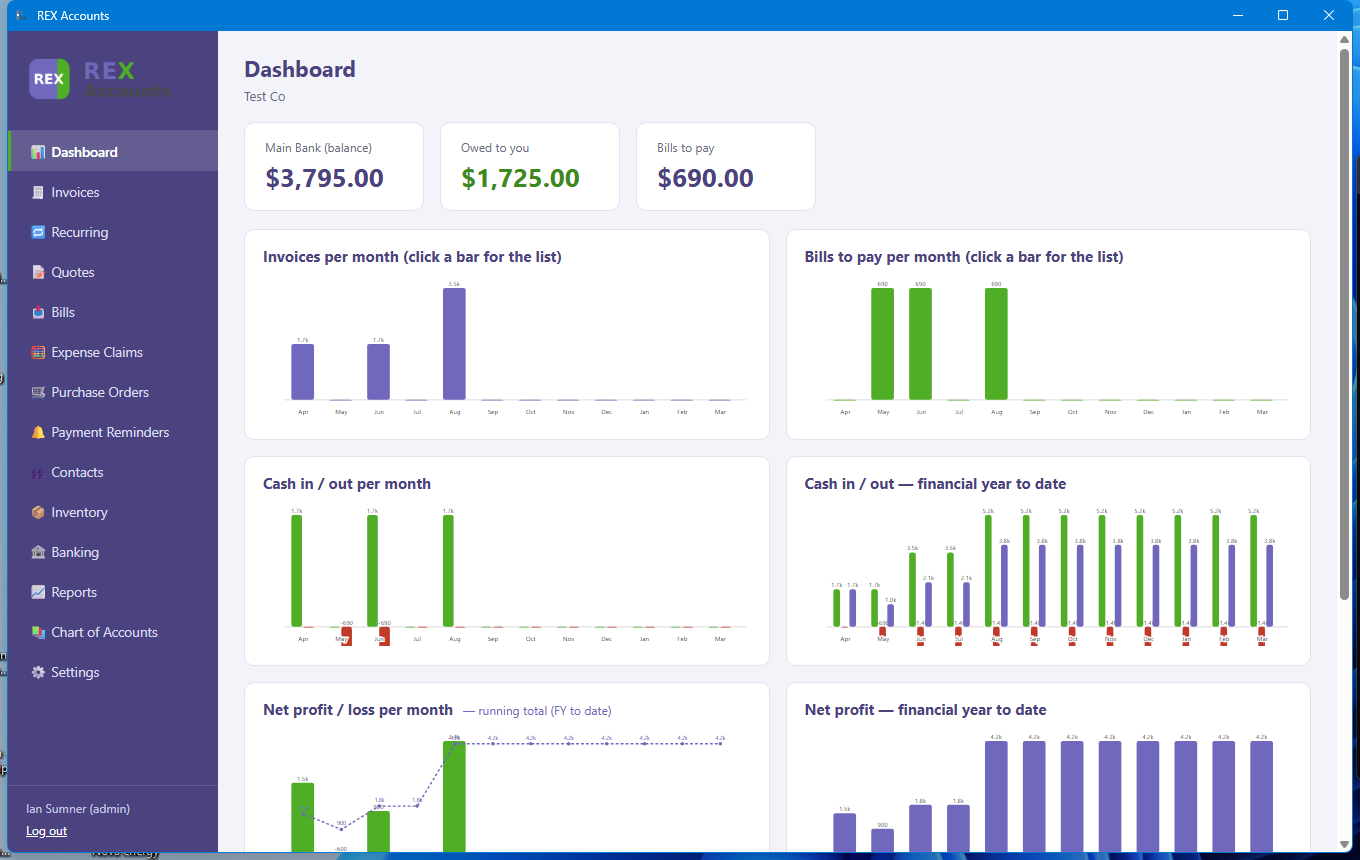
REX Accounts dashboard

REX Accounts

Full double-entry bookkeeping for NZ/AU — invoicing, bills, GST101A, bank reconciliation, and a visual dashboard.

US$149 one-off purchase
Learn more
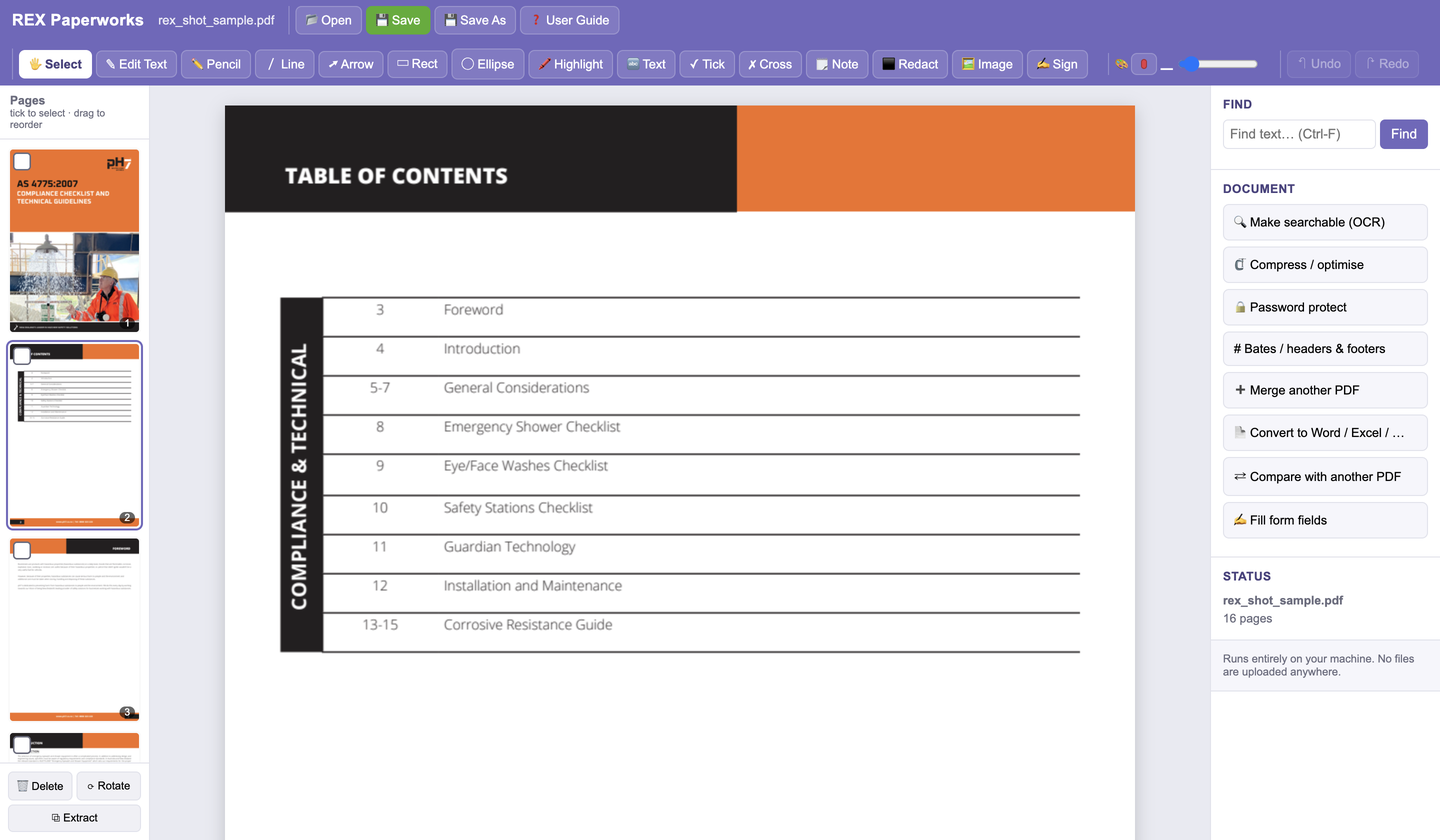
REX Paperworks interface

REX Paperworks

View, mark up, OCR, redact, and convert PDFs — a full PDF editor that runs locally, no files uploaded anywhere.

US$79 one-off purchase
Learn more
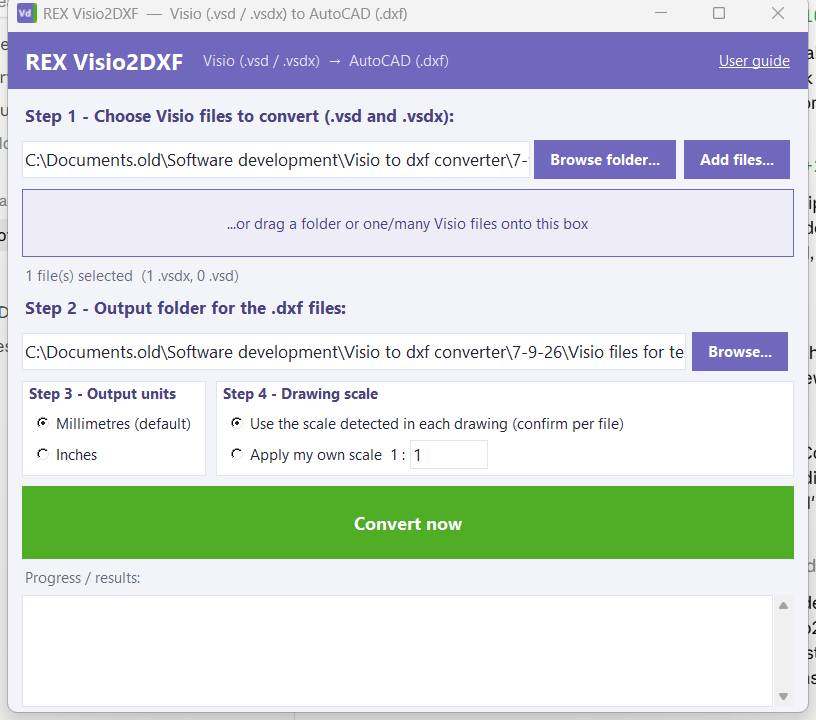
REX Visio2DXF converting a drawing

REX Visio2DXF

Convert Visio .vsd/.vsdx drawings into real, editable AutoCAD DXF geometry — not a flattened picture.

US$39 one-off purchase
Learn more

Why REX

Your files stay yours

Every REX product runs 100% locally. Nothing is uploaded to any server, ever.

Buy once

One payment, one perpetual licence for one machine — no monthly fee and no cloud account.

Instant activation

Your licence key is emailed the moment your payment clears — no waiting, no manual approval.

Built by ECD

Energy Conscious Design builds practical, no-nonsense tools for real engineering and design work.

How buying works

Choose a product

Open the product page, check what is included, and click Buy now. Checkout is run by Lemon Squeezy, which handles cards and adds any local sales tax.

Get your key by email

Within moments of payment you receive an email with your company name and licence key. Keep it: the same key works on Windows and Mac.

Download and install

Get the installer from the Downloads page. Windows users run the Setup file; Mac users drag the app into Applications.

Activate once, offline

On first launch enter the company name and key from the email. No account, no internet connection, no monthly fee.

Requirements & support

Runs on

Windows 10 or 11 (64-bit), or macOS 11 or later on Apple silicon (M1 or newer). No internet connection is needed to use the software. Get the files on the Downloads page.

Install & activate

Unzip, start the app, and enter your company name and licence key once. Activation is offline — the apps never contact a server.

User guides

Every product ships with a full user manual, also available on the Documents page.

Support

Email support@ecdesign.co.nz — please include the product name and, for licence questions, the company name you activated with.